Latest Version
Ronnie Nissan
Travel & Local
Linux
Free
io.github.getnf.embellish
Report a Problem
More About Embellish
The Modern Way to Manage Developer Fonts on Linux
Imagine you are configuring a beautiful, customized terminal or setting up a personalized development environment on Linux, only to realize you need to manually download, extract, and place Nerd Fonts into hidden system directories. It is a tedious, repetitive chore. Thankfully, the Embellish Nerd Font manager streamlines this entire workflow into a beautiful, native desktop experience.
Developed by Ronnie Nissan, Embellish is a specialized utility designed specifically for the Linux platform. Built with a modern GTK4 user interface and enhanced by libadwaita, this lightweight application aligns perfectly with modern desktop aesthetics while solving a highly specific developer pain point.
Key Features of the Embellish Nerd Font Manager
Managing terminal typography no longer requires terminal commands. Embellish provides a comprehensive suite of tools to handle your typographic assets effortlessly:
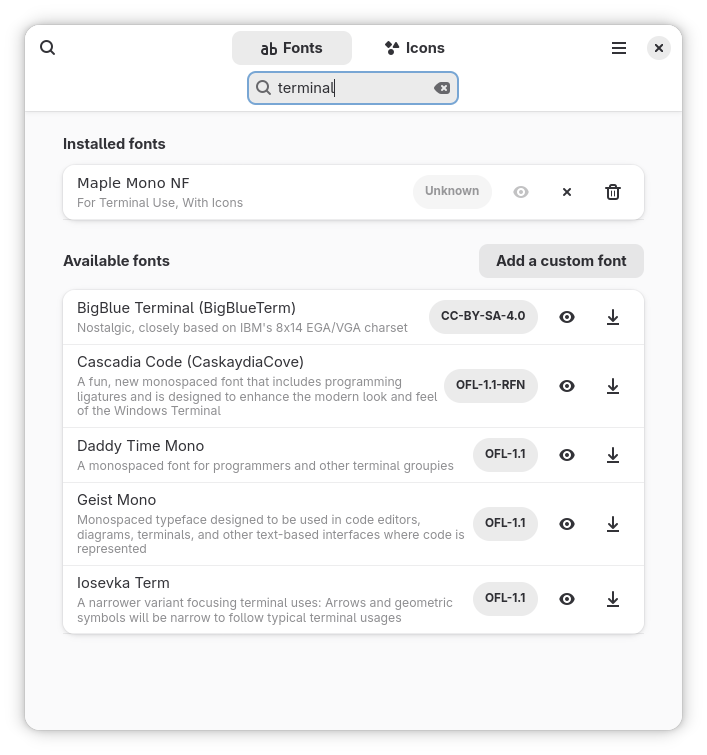
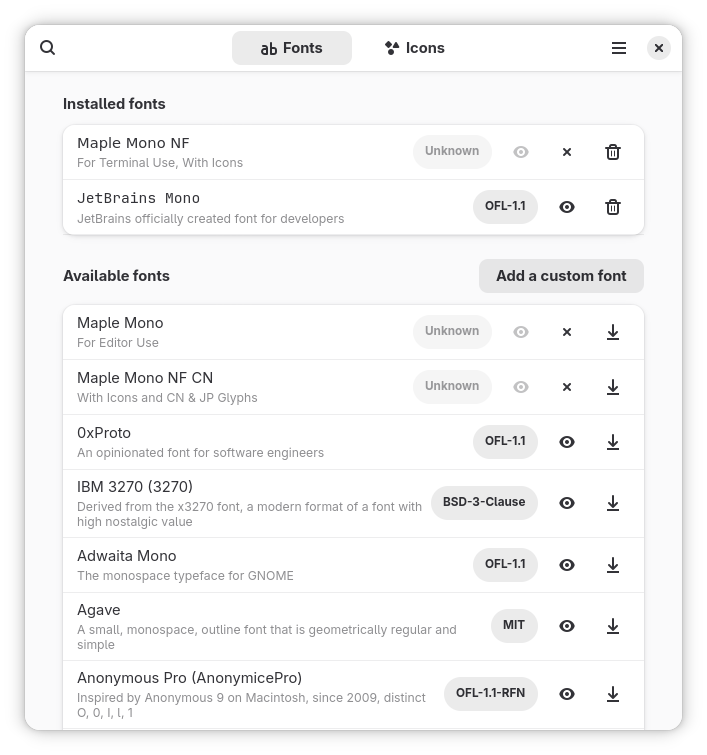
- Comprehensive Font Directory: Quickly list and browse all available Nerd Fonts directly within the application interface.
- One-Click Actions: Seamlessly download and install a new font, or safely uninstall an existing one with a single click.
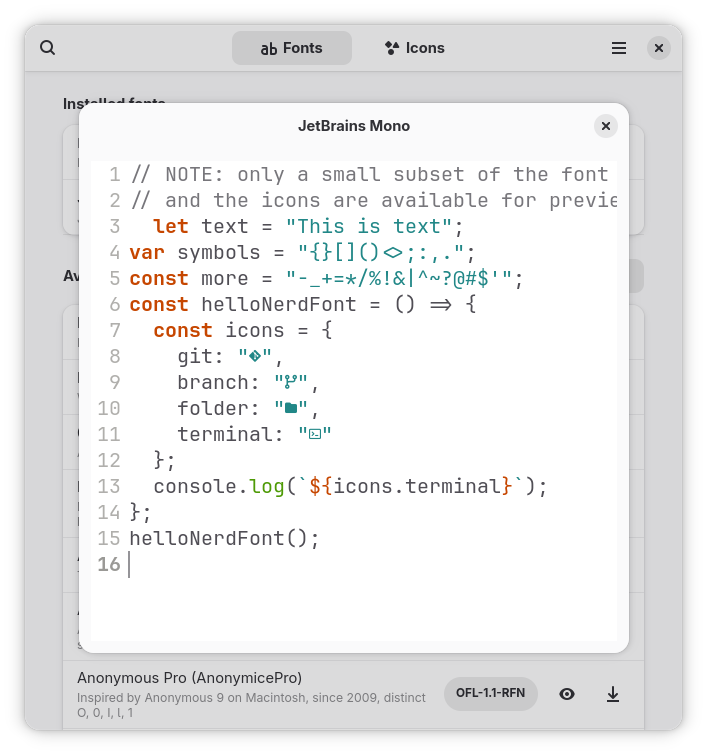
- Interactive Previews: Preview fonts and layout styles before committing to an installation, ensuring you get the exact look you want.
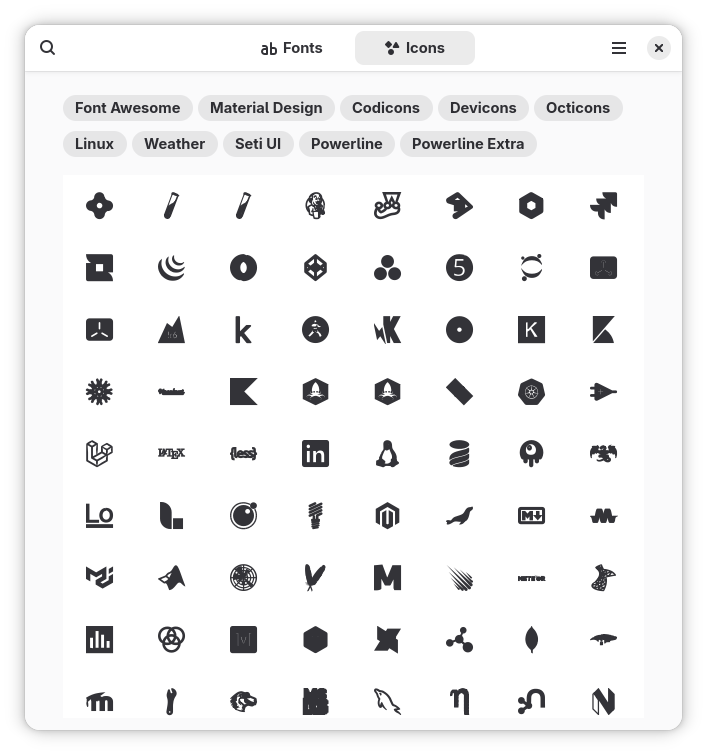
- Icon Cheat Sheet: Browse and search through integrated icons to easily find glyphs for your status bars or configuration files.
- Advanced Search & Licensing: Instantly search fonts by name and read the font's license agreements directly inside the app.
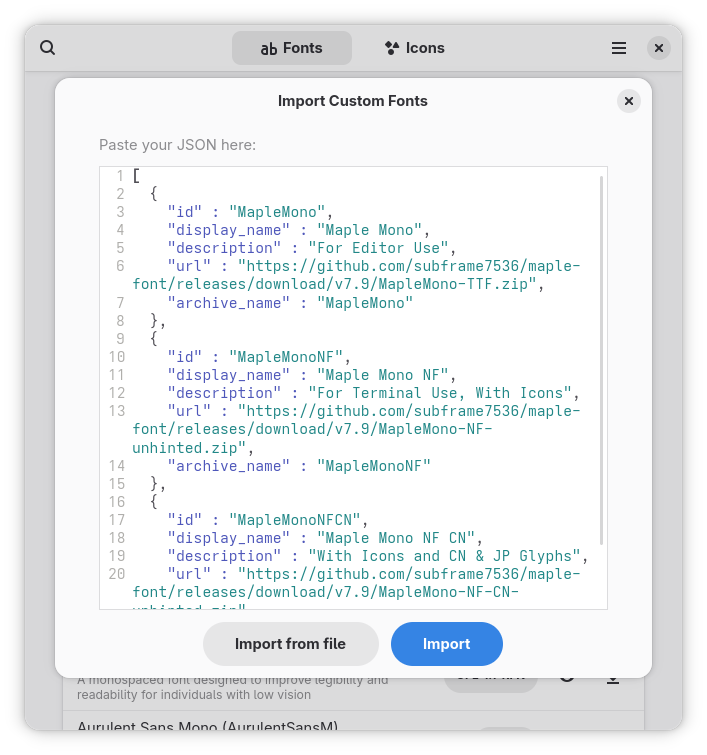
- Custom Font Support: Add, import, and export custom fonts to maintain a portable, personalized setup across multiple Linux machines.
Who Is This Application For?
If you are a software developer, system administrator, or Linux enthusiast who loves customizing terminal emulators, text editors, or tiling window managers, the Embellish Nerd Font manager is an invaluable addition to your toolkit. It replaces manual command-line installations with a clean, visual interface that saves time and prevents installation errors.
Our Verdict
Embellish successfully transforms a clunky manual setup process into a visual, user-friendly task. Its integration with libadwaita makes it look incredibly native on modern Linux desktops, and the ability to import/export custom fonts makes system migration painless. To try this excellent utility, head over to the official Flathub store page to explore and install Embellish on your Linux system today.
Rate the App
User Reviews









Popular Apps