
Latest Version
Apple Inc.
Tools
iOS
Free
1232058109
Report a Problem
More About Files App
The Ultimate Hub for iOS File Management
Managing documents, media, and archives on a mobile device can often feel like a disorganized chore. The Files app for iOS serves as a centralized, powerful command center that eliminates this friction by bringing all your storage locations into a single, cohesive interface. Whether your data lives locally on your iPhone, deep in the cloud, or on physical external hardware, this tool ensures you never lose track of your digital assets again.
Seamless Cloud Integration and External Drive Support
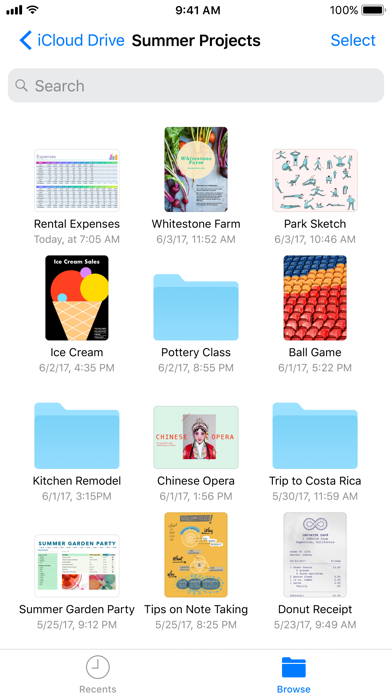
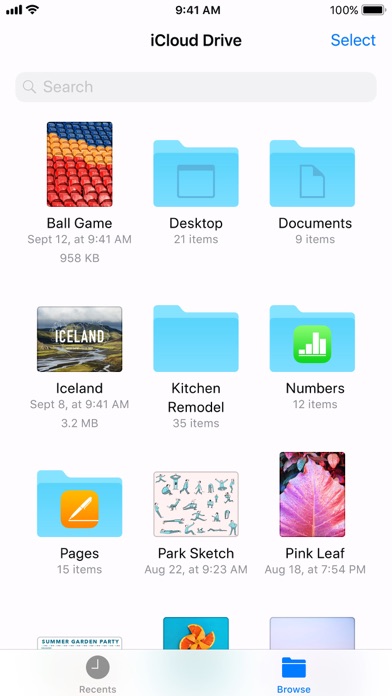
One of the standout capabilities of the Files app for iOS is its open-ecosystem approach to storage. Instead of locking you into a single proprietary cloud, it bridges the gap between competing services. You can view and manage folders across iCloud Drive, Dropbox, Box, and Microsoft OneDrive simultaneously.
- External Storage Connectivity: Plug an external hard drive, SSD, or SD card reader directly into your iOS device to browse, copy, and transfer documents instantly.
- Network Server Access: Connect to your office file server or home PC using the built-in SMB protocol for seamless local network transfers.
- Unified Tagging System: Apply color-coded tags to categorize assets residing in different cloud locations, making cross-platform organization effortless.
Designed for Speed and Accessibility
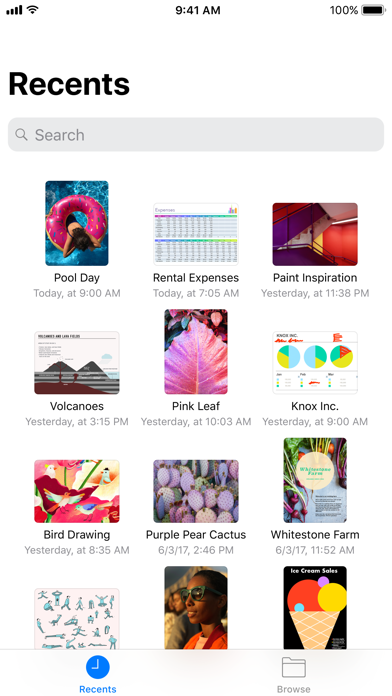
Navigating through deep folder structures is made simple with an intuitive user interface designed by Apple Inc. The Recents view presents your most active documents in high-resolution thumbnails, allowing you to jump back into your work instantly. For power users, the drag-and-drop support makes organizing directories as natural as it is on a desktop computer. You can also pin your most-visited directories to the Browse sidebar, ensuring that critical project folders are always just a single tap away.
Collaborative Sharing Made Simple
Beyond personal organization, the Files app for iOS streamlines collaboration. By generating direct iCloud Drive sharing links straight from the interface, you can grant colleagues or family members instant access to specific documents. It is a highly efficient utility built to elevate mobile productivity for professionals and casual users alike.
Our Verdict: A Must-Have Tool for iOS Users
For anyone looking to transform their tablet or phone into a highly functional workstation, this application is an essential utility. It bridges the gap between desktop-class file systems and mobile simplicity. To experience this streamlined organization firsthand, head over to the official Apple App Store to check out the application on your device.
Rate the App
User Reviews




Popular Apps